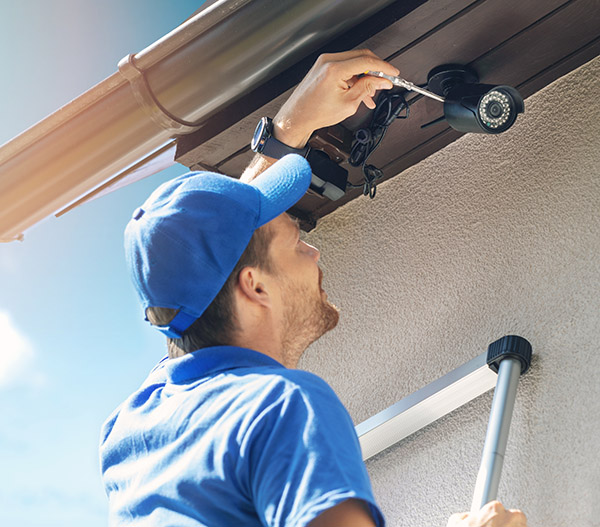
A commercial security system includes four key components that work together: an intrusion detection system (door/window sensors, motion detectors, and a control panel), access control (key cards, fobs, or mobile credentials that manage who can enter and when), video surveillance (cameras and recording/monitoring software), and 24/7 alarm monitoring which sends a signal to a response team or local authorities when something triggers the system.
What Are the Parts of a Commercial Security System?
Below is a breakdown of the parts that make up a well-rounded commercial security setup. Every commercial security system is different. While intrusion detection, a control panel, and professional monitoring form the foundation of most systems, features such as access control, video surveillance, and advanced analytics can be added based on your facility, operations, and level of risk. Below is a breakdown of the parts:
| Security System Component | Purpose | Typical Use |
| Intrusion Detection Sensors | Detect unauthorized entry through doors and windows | Most commercial buildings |
| Control Panel | Coordinates the entire security system | Every security system |
| Access Control | Restricts who can enter specific areas | Offices, schools, healthcare, financial, industrial |
| Video Surveillance / Cameras | Monitors people and property | Nearly all commercial properties |
| 24/7 Alarm Monitoring | Connects alarms to a monitoring center | Recommended for all businesses |
| Mobile Management | Remote system control | Multi-site businesses and managers |
| Backup Power & Cellular Backup | Maintains operation during outages | Recommended for all businesses |
Some of these parts, like commercial security components for intrusion detection and monitoring, are included in most systems. Other features, such as access control or advanced video analytics, can be added based on the size of the property and the amount of risk.
Do Businesses Need Cameras and Access Control?
For most commercial properties, using both cameras and access control is considered standard in a modern security plan.
Cameras give business owners visibility they can’t get any other way: who came and went, what happened during an incident, and footage that can support insurance claims or law enforcement investigations.
Access control allows businesses to issue and revoke credentials at anytime, restricting access of certain areas to specific people. It also means no more installing new locks if someone loses a key.
Why Intrusion Detection Is the Foundation of Commercial Security
Intrusion detection is all about response – detecting when something is wrong and alerting help.
A typical setup includes:
- Door and window contacts on all exterior entry points
- Motion sensors in hallways, stockrooms, and other interior spaces
- Glass-break sensors for storefronts or ground-floor windows
- A control panel that ties every sensor back to a monitoring center
When a sensor is tripped off outside of normal business hours, the system sends a signal to a monitoring team who can verify the alert and dispatch the appropriate response.
How Access Control Adds a Layer of Protection
Instead of handing out physical keys, businesses issue digital credentials that can be:
- Assigned to specific people or roles
- Limited to specific doors or zones
- Scheduled for specific hours or days
- Revoked instantly if an employee leaves or a credential is lost
This is especially useful for businesses with shift workers, multiple departments, or restricted areas like server rooms, supply closets, or executive offices. Every entry attempt, successful or not, is automatically logged, giving the owner a clear record.
For businesses managing several locations, centralized access control software makes it possible to manage permissions across a large portfolio of properties from one dashboard, rather than handling each building separately.
The Role of Video Surveillance in Commercial Security
A well-designed surveillance setup typically covers:
- All exterior entry and exit points
- Parking lots and loading areas
- Cash handling areas, registers, or safes
- Interior hallways and common areas
- Any high-value inventory or equipment storage
Modern video surveillance systems do more than record. Many include motion-triggered alerts, remote viewing from a mobile device, and cloud storage that keeps footage accessible even if equipment on-site is damaged or stolen. For businesses evaluating risk, footage also plays a role after an incident, helping to support insurance claims, internal investigations, or law enforcement reports.
How These Components Work Together
The real value of a commercial security system comes from integration.
Here’s what that looks like in practice: A door sensor detects an after-hours entry. The system cross-references it against the access control log and confirms no authorized credential was used. Cameras near that entry point automatically flag and save the relevant footage. The control panel is alerted and sends a notification to the monitoring center. A monitoring center receives the alert, reviews the situation, and dispatches a response all within moments, and all visible to the business owner from a single place.
Without integration, each of these systems operates independently: a camera that records but doesn’t alert anyone, an access log that no one checks until something goes wrong, or an alarm that goes off with no way to verify what triggered it. A connected system closes gaps between systems and gives business owners a single, reliable source of truth about what’s happening on their property.
Choosing the Right System for Your Business
Not every business needs the same configuration. A single-location retail store, a multi-building warehouse complex, and a professional office suite each have different risk profiles and different priorities. Some general guidelines:
- Retail and storefronts typically prioritize glass-break sensors, point-of-sale camera coverage, and after-hours intrusion detection.
- Warehouses and distribution centers often need access control across multiple loading and personnel doors, plus broad camera coverage for large open spaces.
- Offices and multi-tenant buildings tend to focus on access control for restricted areas, lobby surveillance, and after-hours alarm monitoring.
- Multi-location businesses benefit most from centralized, cloud-based platforms that let one team manage security across every site.
A walkthrough with a licensed security provider is the most reliable way to figure out which components matter most for a specific property and which can be added later as the business grows.
Why Pye-Barker Fire & Safety
Pye-Barker Fire & Safety brings a level of expertise and accountability to commercial security that’s hard to match. As the largest privately held fire protection, life safety, and security provider in the country, Pye-Barker understands how security systems need to work alongside fire alarm and life safety systems, not as a separate afterthought. That means one team, one point of contact, and systems designed to integrate rather than compete with each other. With local technicians backed by national resources, businesses get fast response times and consistent service whether they operate out of a single location or dozens of sites across the country. From the initial walkthrough to installation, monitoring, and ongoing service, Pye-Barker builds security systems around the specific risks, layout, and growth plans of each property.
Frequently Asked Questions
What are the parts of a commercial security system?
A complete commercial security system typically includes intrusion detection (door/window sensors and a control panel), access control (card readers or mobile credentials), video surveillance cameras with recording software, and 24/7 alarm monitoring. Many systems also include a mobile app for remote access and integration with fire and life safety monitoring.
Do businesses need cameras and access control?
Most commercial properties benefit from having both. Cameras provide visual evidence of who entered a building and what happened during an incident, while access control manages and logs exactly who can enter specific doors and when. Together, they cover both the “who was here” and “what happened” questions that come up after a security incident.
How much does a commercial security system cost?
Costs vary based on the number of doors, cameras, and sensors needed, as well as whether the business chooses cloud-based monitoring or on-site equipment. A walkthrough with a security provider is the most accurate way to get a cost estimate for a specific property.
Can existing security equipment be integrated into a new system?
In many cases, yes. Depending on the age and type of existing equipment, some cameras, panels, or access control hardware can be incorporated into an upgraded system rather than replaced entirely.
How long does installation take?
Ready to Build Your System?
Whether you’re starting from scratch or adding to an existing setup, Pye-Barker Fire & Safety designs commercial security systems around the specific risks and layout of your property. Visit Advanced Alarm Systems for Home & Business to see how intrusion detection, access control, and video surveillance can be combined into one system tailored to your business.